Six Leading Cloud Accounting Platforms for Every Business Size
Cloud-based accounting has replaced traditional on-premises software, enabling business owners to manage finances from anywhere with an internet connection. Here are six top solutions across different business needs and budgets.

- Best overall: Zoho Books
- Most comprehensive: QuickBooks Online
- Most user friendly: Xero
- Best for mid-size businesses: Sage Intacct
- Best for invoicing and payment acceptance: FreshBooks
- Best budget option: Wave Accounting
The shift from downloadable accounting applications to cloud-based platforms represents a fundamental change in how businesses handle their finances. Internet connectivity now allows entrepreneurs to perform accounting tasks from virtually any location. Given the crowded marketplace of cloud accounting solutions, identifying the right fit requires careful evaluation of your specific requirements.
Top cloud accounting software comparison
When evaluating cloud accounting platforms, pricing represents just one consideration among many. Feature sets, scalability, and ease of use all play important roles in determining which solution aligns best with your organization's needs.
Zoho Books: Best overall
Zoho Books stands out by combining robust functionality with flexible pricing across six different tiers, including a perpetual free option. The platform supports recurring invoices, expense and mileage tracking, sales and purchase orders, budgeting, and inventory control among numerous other capabilities. Organizations already using other Zoho applications benefit from seamless integration across the entire product suite.
Pricing
- Free: $0 for businesses with less than $50K USD per calendar year
- Standard: $15 per organization per month billed annually, or $20 per organization per month billed monthly
- Professional: $40 per organization per month billed annually, or $50 per organization per month billed monthly
- Premium: $60 per organization per month billed annually, or $70 per organization per month billed monthly, with a 14-day free trial available
- Elite: $120 per organization per month billed annually, or $150 per organization per month billed monthly
- Ultimate: $240 per organization per month billed annually, or $275 per organization per month billed monthly
Additional add-ons include extra users at $3 per user per month, advanced auto scans for $10 monthly (50 scans), and snail mail services at $2 per credit.
Features
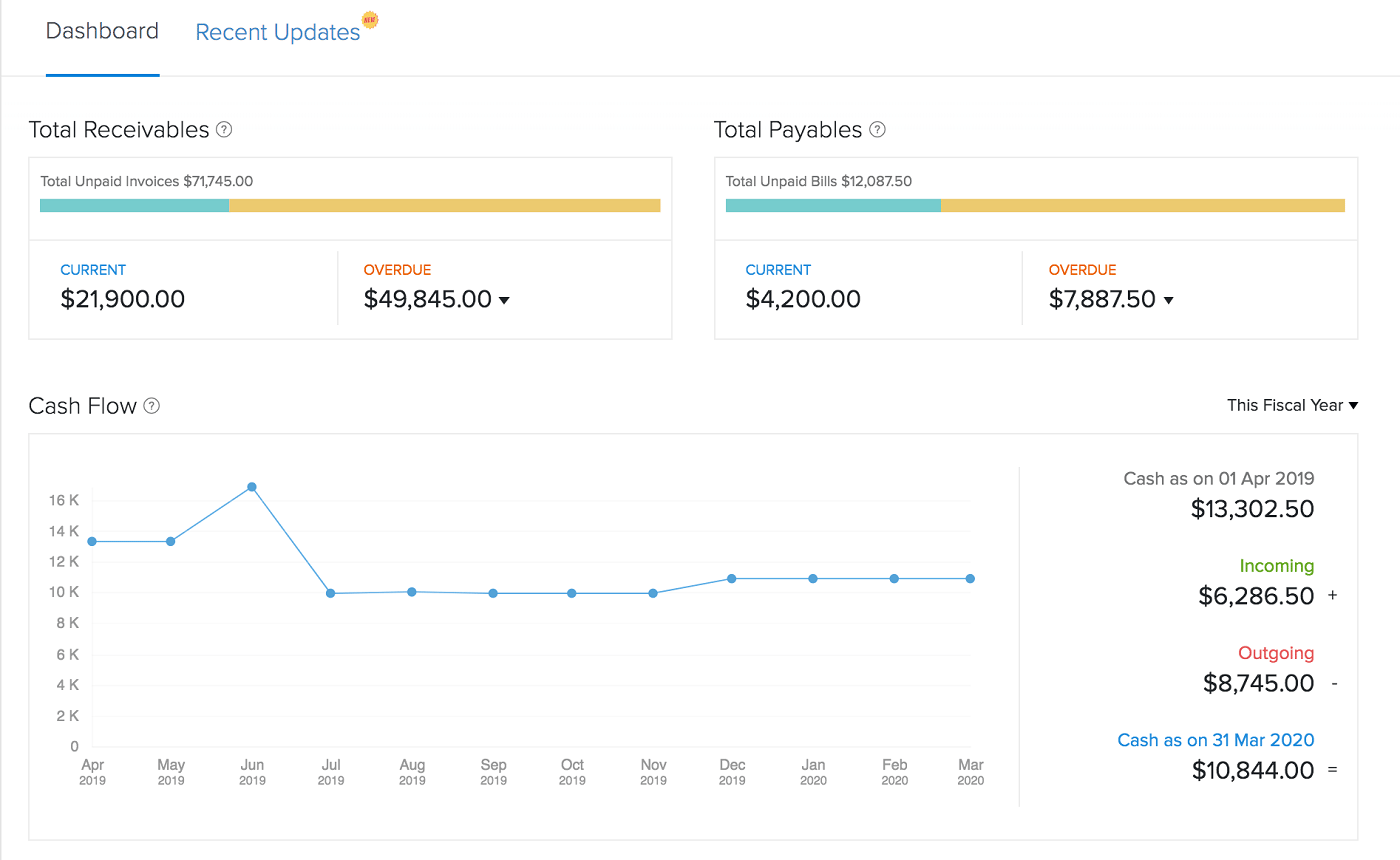
- Automatic transaction sync
- Expense and mileage tracking
- Invoicing and estimate tools
- Inventory management available
Pros
- Forever free plan available for small businesses
- Free Zoho Books webinar every week
- Six pricing plans offer excellent scalability
- Integrates seamlessly with the entire Zoho software stack
Cons
- Need an outside integration for automatic sales tax calculations
- Must set up free invoicing and inventory add-ons to get full functionality in those areas
- Charges a small fee for extra users
- Email-only support for the free plan
QuickBooks Online: Most comprehensive
QuickBooks Online maintains its position as the industry standard in cloud accounting, delivering comprehensive accounting capabilities even at the entry-level tier. The platform's widespread adoption among accountants streamlines tax preparation processes. The trade-off comes in the form of premium pricing, making it most suitable for organizations with sufficient budgets to justify the investment.
Pricing
- QuickBooks Simple Start: $38 per month with access for one user
- QuickBooks Essentials: $75 per month with access for up to three users
- QuickBooks Plus: $115 per month with access for up to five users
- QuickBooks Advanced: $275 per month with access for up to 25 users
Features
- Create invoices, estimates and quotes
- Automatic income and expense tracking
- Free receipt capture offered for all plans
- Payroll add-on available in all 50 states
Pros
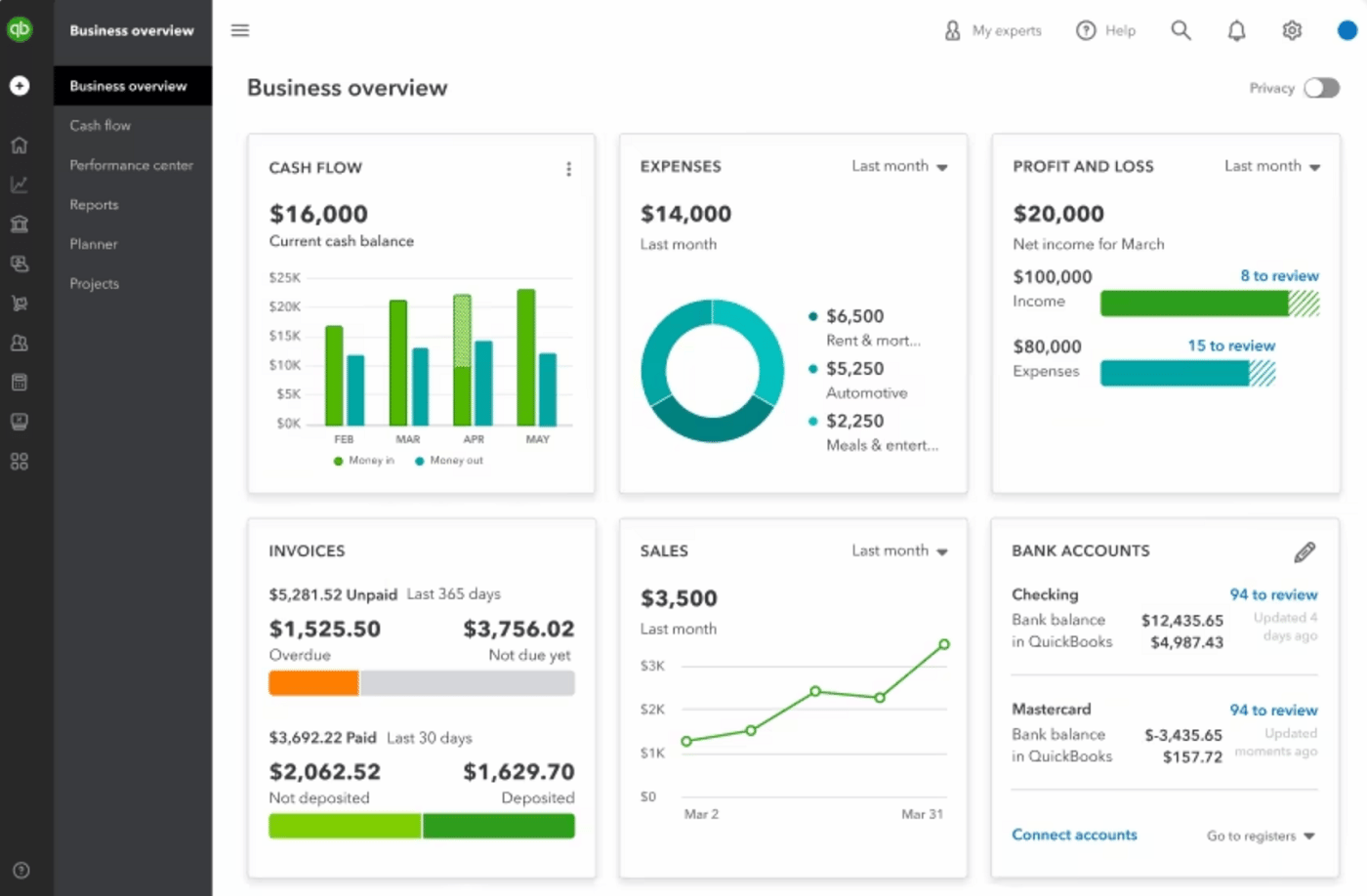
- Unlimited invoices, clients and bills on all plans
- Familiar to accountants all over the world
- Expense and mileage tracking on all plans
- Sales tax is calculated automatically right in the tool
Cons
- Customer service could be improved
- Higher than average prices
- Each plan limits the number of users
- Must choose between a free trial and a discount on the first three months of service
Xero: Most user friendly
Xero Accounting distinguishes itself through an intuitive interface designed for users without prior accounting software experience. The starter plan carries an accessible price point but suits freelancers, independent contractors, and emerging businesses given its 20-invoice and 5-bill monthly limits. The platform incorporates financial reporting, project and time tracking, documentation management, expense management, and payroll capabilities.
Pricing
- Early: $20 per month
- Growing: $47 per month
- Established: $80 per month
Features
- Inventory tracking and order creation
- Accounting and financial reports
- Manage customer and vendor contacts
- Mobile app for expense management
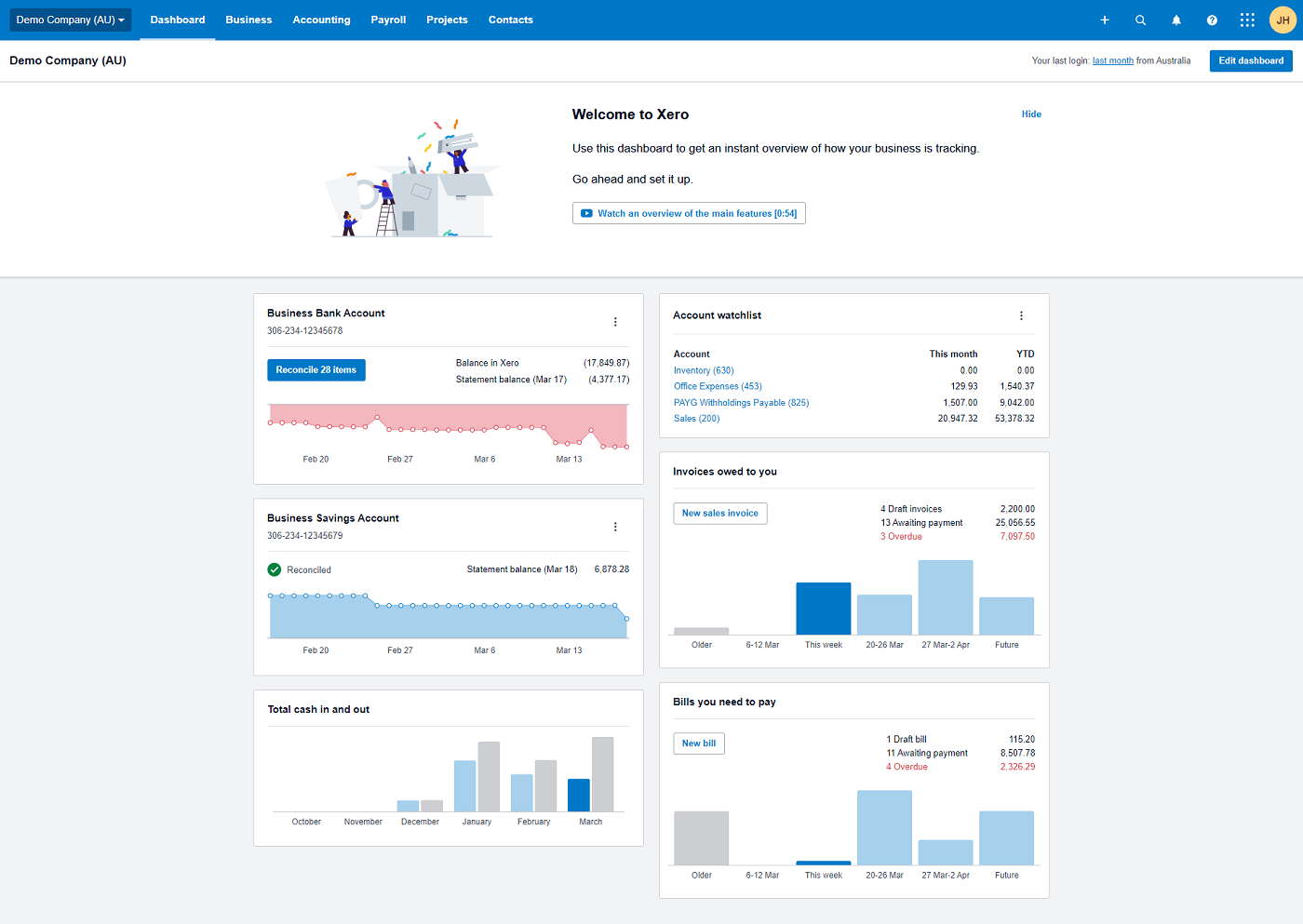
Pros
- Unlimited users on all plans
- Guided setup process
- Project and time tracking included on some plans
- Optional to add Gusto payroll
Cons
- Early plan limited to 20 invoices and 5 bills per month
- Only one organization per account
- Many features are confined to the most expensive Established plan
- No telephone support available
Sage Intacct: Best for mid-size businesses
Sage Intacct targets mid-sized organizations rather than freelancers or startups. The platform leverages artificial intelligence to enhance general ledger functionality, streamlining management of accounts receivable and payable. The Multi-Entity Insights reporting module delivers analytics tailored for expanding companies facing increasingly sophisticated accounting demands.
Pricing
Sage Intacct maintains confidential pricing; prospective customers must contact the sales department to obtain customized quotes.
Features
- AI-enhanced general ledger
- Multi-Entity Insights for growing businesses
- Advanced accounting modules can be added on
- Salesforce integration available
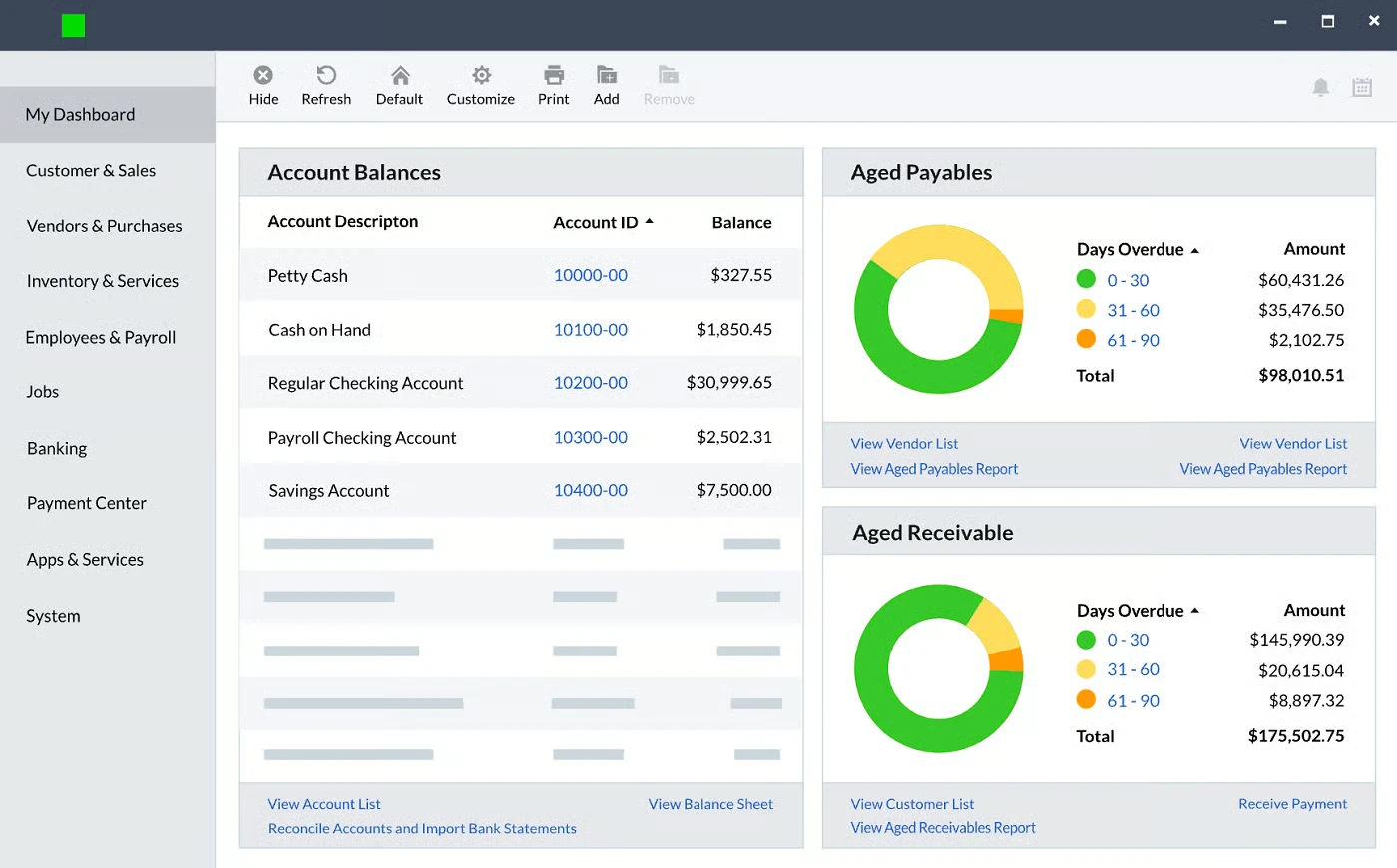
Pros
- Meets the demands of specialized industries
- Option to add fixed asset management
- Advanced financial analytics available
- Excellent customer support
Cons
- Pricing is not transparent
- Customers say that pricing tends to run high
- Software interface is not very intuitive
- Too advanced for small businesses
FreshBooks: Best for invoicing and payment acceptance
FreshBooks excels for organizations prioritizing invoicing and payment collection. The platform simplifies creation of branded, professional invoices and enables clients to remit full or partial payments via credit cards and ACH transfers. Users can automate payment reminders, impose late fees, and process transactions in multiple currencies directly within FreshBooks or through integrated payment gateways.
Pricing
- Lite: $21 per month, allows users to bill five clients per month
- Plus: $38 per month billed monthly, allows users to bill 50 clients per month
- Premium: $65 per month billed monthly, includes unlimited billable clients
- Select: Custom quote pricing for enterprises
Features
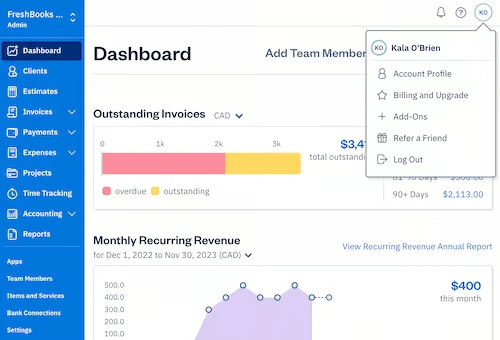
- Easy-to-use invoicing tools
- Convert estimates and proposals to invoices
- Accept payments directly in FreshBooks
- Native expense and time tracking
Pros
- Transparent, affordable pricing plans
- Well-reviewed mobile apps
- Payroll integration with Gusto and SurePayroll by Paychex
- Built-in project tracking
Cons
- Limited accounting features and only 5 users on the Lite plan
- Charges $20 per month for Advanced Payments feature
- Additional users cost $11 per person per month
- Could use more third-party integrations
Wave Accounting: Best budget option
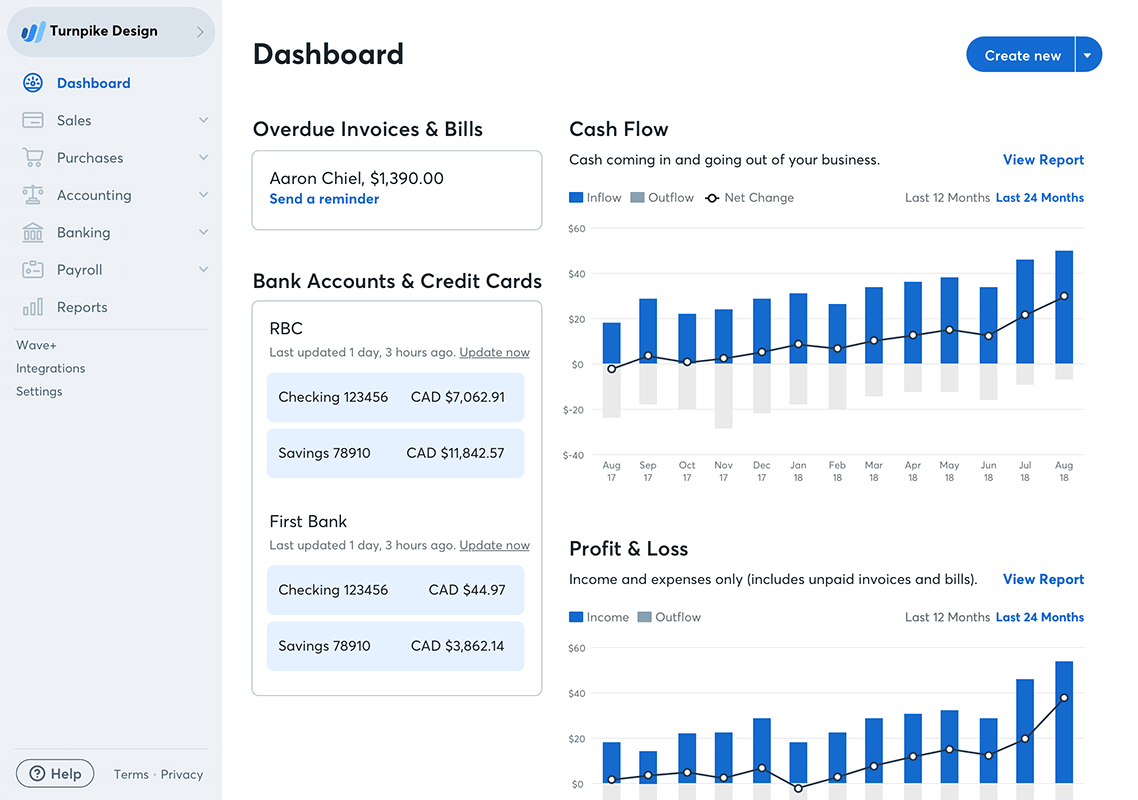
Wave delivers a perpetually free accounting and invoicing solution alongside a paid tier with expanded capabilities. Beyond subscription revenue, Wave generates income through standard payment processing fees and optional services including mobile receipt scanning and payroll. The platform grants users unlimited invoices, clients, bank accounts, and credit connections, positioning it as an excellent choice for cost-conscious organizations.
Pricing
- Wave Starter: Free forever
- Wave Pro: $16 per month/$170 per year
- Receipt scanning: Free (with Wave Pro) or $11 per month/$96 per year (with Wave Starter)
- Credit card payments: 2.9% (or 3.4% for AMEX) + $0.60 per transaction (some fees waived or reduced with Wave Pro)
- Bank payments: 1% per transaction
- Payroll: $40 a month in tax service states and $20 a month in self service states, plus $6 per active employee or independent contractor paid each month
- Advisors: $149 a month for ongoing bookkeeping support, or $379 for a one-time accounting and payroll coaching package
Features
- Sales and sales tax tracking included
- Customizable, automatable invoices
- Detailed income and expense tracking
- Simple finance and accounting reports
Pros
- Free forever accounting and invoicing plan
- Unlimited clients, invoices and bank accounts
- Easy-to-navigate interface
- Manage multiple businesses in one accounting software
Cons
- Mobile receipt capture requires paid add-on
- No built-in integrations available
- Accounting features are not as comprehensive as some competitors
- Customer support through email and chat only
Key features of cloud accounting software
Invoicing and billing
Quality cloud accounting platforms streamline invoice creation by offering customizable templates and straightforward delivery mechanisms. Valuable additions include automatic payment reminders, late fee assessments, partial payment acceptance, and vendor bill management with direct payment capabilities.
Expense and mileage tracking
Organizations requiring reimbursement for employee vehicle usage or out-of-pocket purchases depend on robust expense and mileage tracking. While most cloud accounting solutions incorporate this functionality, some restrict it to premium tiers or charge separately for mobile receipt capture features.
Time tracking
Time tracking proves essential for payroll processing and hourly client billing. Leading cloud accounting platforms should provide built-in time tracking alongside compatibility with popular services such as Clockify and Harvest.
Inventory tracking and management
Product-based businesses require inventory tracking to monitor stock levels and generate purchase orders. Many platforms reserve inventory management for higher-priced plans, so budget accordingly for this capability.
Reporting
Even independent contractors benefit from financial reporting that illuminates business performance. Effective cloud accounting software provides multiple report templates that automatically populate with data from throughout the system.
How do I choose the best cloud accounting software for my business?
More payroll coverage
Begin by establishing your budget and documenting essential features your organization requires. Determine whether you need a solution that grows with your business over many years or if you can transition platforms as needs evolve.
Many vendors provide trial periods, and some offer indefinite free plans enabling thorough evaluation. Request demonstration sessions with sales representatives who can guide you through platform functionality and answer specific questions.
Most cloud accounting providers operate on month-to-month billing, eliminating long-term contracts and providing flexibility to switch platforms if circumstances change.
Methodology
This evaluation examined user reviews and official product documentation to identify leading cloud accounting solutions. Assessment criteria encompassed pricing structures, support quality, user satisfaction, and functional capabilities including invoicing, time tracking, expense and mileage tracking, inventory management, and financial reporting.
Read more

California Tightens Rules on Robotaxis as Incidents Mount
A new state law sets safety standards and accountability measures for autonomous vehicle operators, requiring local support staff and penalties for blocking emergency responders.

Wawa Elevates Long-Tenured Executive to CIO Role
The convenience store chain has named Bill O'Donnell, a 25-year company veteran, as its new chief information technology officer, putting him in charge of tech strategy, cybersecurity and digital operations.

ServiceNow Debuts Flow, a Conversational Service Desk Built for Speed Over Complexity
ServiceNow is rolling out Flow, a natural language service desk tool that automates employee requests through Slack and Microsoft Teams without requiring a full IT service management overhaul.