How Figma Built Generative Plugins and Shaders in Two Months
Figma's product designer Rogie King recounts the creation of generative plugins and shaders, from prototype to Config launch, revealing how the team moved between design and code to ship a new way of building on canvas.

Starting today, designers using Figma gain expanded control over generative plugins and shaders, along with the ability to publish their creations to the Figma Community or privately within their organization. Product Designer Rogie King shares the behind-the-scenes story of how the team brought this vision to life.
The motivation was straightforward: equip designers with tools to build exactly what they need, exactly when they need it. Whether generating layouts or applying lens distortion effects, generative plugins and shaders extend what's possible on the canvas. Since Config 2026, the team has been expanding these capabilities, and today's release includes several significant additions:
- Community and internal publishing: Share plugins and shaders created with the Figma design agent to the Figma Community, or keep them private within an Organization or Enterprise plan
- Animated and interactive shaders: The agent can now build motion and interactivity into effects you describe
- Code access: View and download the underlying code for any shader or plugin you've created, enabling direct editing in third-party agents
- MCP updates: Use the Figma MCP server to view and modify generative plugins and shaders with your agent, or export shaders to agents that implement them in React code
These updates represent a larger shift in how design work happens now: collaboration with AI, seamless movement between design and code, and shared creation on the canvas. King's account of the project's development offers lessons about modern design practice and how teams ship ambitious features under tight constraints.
From prototype to vision
Shaders are GPU programs that let designers visually manipulate layers in Figma Design as fills or effects, bending and changing pixels in real time. King built the Noise & Texture plugin in 2022 to bring shader capabilities to the canvas, but deeper integration wasn't possible at the time.
For years, King wanted to unlock shader power within Figma. The breakthrough came when large language models made it feasible to demonstrate the idea rather than merely describe it. He created a vibe-coded WebGPU environment that mimicked Figma's behavior, allowing shader effects to be applied to any layer—vectors, 3D layers, and particle systems included. Three core principles guided the prototype:
- Composability: one shader's output feeds into the next
- Editor ergonomics: designers can touch and feel the work with dynamically generated controls beyond simple prompting
- Agentic creation: LLMs can suggest controls that designers can refine
What took months to build in Figma Draw—progressive blur—could now be created with a single prompt, maybe two to perfect it. But a prototype alone wasn't enough. King needed a compelling narrative, a pitch, and the right team to make it real.
Building the team
King approached Yassir Solomah, a rendering and animation engineer, with critical questions: Would this approach actually work? Could it scale to enterprise performance? A vibe-coded approximation is far removed from the production-grade, tile-rendered reality of an infinite canvas.
Solomah joined the effort and rebuilt King's WebGL 2 fragment shader system with a WebGPU pipeline architecture. This allowed shaders to become miniature programs capable of rendering 3D objects and applying logic based on mouse position and time. The new structure isolated graphics generation scripts in sandboxes while harnessing WebGPU's full capabilities, enabling safer user-run scripts, particle systems, compute shaders, and 3D support.
When Georgia Rust, a product manager, learned of the project, she recognized how it connected to other work happening across Figma. Product Designer Jason Calleiro was simultaneously prototyping adaptive and generative plugins. Rust brought the teams together under a unified umbrella: generative tools—a suite of ways to use agents on the canvas to create custom plugins and shaders on demand.
Over planning sessions, King, Solomah, and Rust transformed scattered demos into a pitch executives could believe in. King demonstrated the ability to prompt shader effects with agent assistance, complete with canvas handles and dynamic controls. Solomah detailed the core implementation, security model, and performance strategy. Rust outlined the build sequence, team composition, and future directions. The pitch succeeded, and the team received the green light. The deadline: Config, two months away.
Shipping under pressure
With such a compressed timeline, the team abandoned formal processes. No PRDs, no design critiques—instead, prototyping and demos took priority. Engineers and designers crowded into a single Slack channel, presenting weekly updates to core sponsors. As momentum built through company meetings, the initial 15-person team expanded.
Generative plugins and shaders shared infrastructure: both were promptable, dynamic, iterative, code-backed features living in a new Tools sidebar. While plugins would use the existing plugin API with familiar Figma patterns, shaders required a new API entirely. King built PropsKit, a web components–based Figma UI kit that agents could leverage.
King's initial instinct was to start every design as a working prototype, believing this would accelerate progress and give developers concrete references. In practice, vibe-coded prototypes proved valuable for designers validating assumptions but less useful for developers, product managers, and stakeholders. The team shifted strategy: static mocks in Figma displayed all possible states to align on key features, followed by working code prototypes to test solutions without the typical cycle of implementation, design revision, and re-implementation. This approach yielded better results faster and preserved engineer time. King even contributed production code and submitted pull requests himself.
Two weeks before Config, the project was 90 percent complete—but the final 10 percent proved hardest. Moving at such speed meant leaders and sponsors reviewed versions that were already outdated. At moments, the project seemed headed for cancellation.
The team communicated constantly, made instinctive calls, and improvised solutions. When plugin layouts weren't quite right, they built three new UI components to improve the agent's decision-making. When custom property controls for color palettes needed three more days of work, they made the hard choice to use a select list instead. Design polish? They opened a PR. As the designer-founder, King found cutting features especially difficult but learned what to preserve and what to defer to cross the finish line.
From canvas to code
When King and Rust took the stage at the Config keynote to unveil generative plugins and shaders, they represented the labor of an exceptional team and a fundamentally new way of working.
The project also taught Figma how to use its own tools differently, reducing friction between design and production. The Config microsite for shaders, for instance, made extensive use of Figma's MCP server. In this era, an engineer running a local agent expects to read design context through the MCP's get_design_context function. Code on the canvas resembles design on the canvas—both are expressions of intent. Shaders export to HTML and React, capabilities now part of today's launch.
Anyone with access to the Figma design agent can now build generative plugins and shaders using the playground file. The agent is available in open beta for Full seat users across all plans, with Collab, Dev, and View seats able to use it in drafts. During beta, the agent is free; it will begin consuming AI credits in the coming weeks.
King has spent six years at Figma, starting as a Designer Advocate focused on amplifying designers' perspectives. Today, as a Product Designer, he concentrates on strengthening Figma through art and illustration tools that unlock more expressive visual design.
Read more
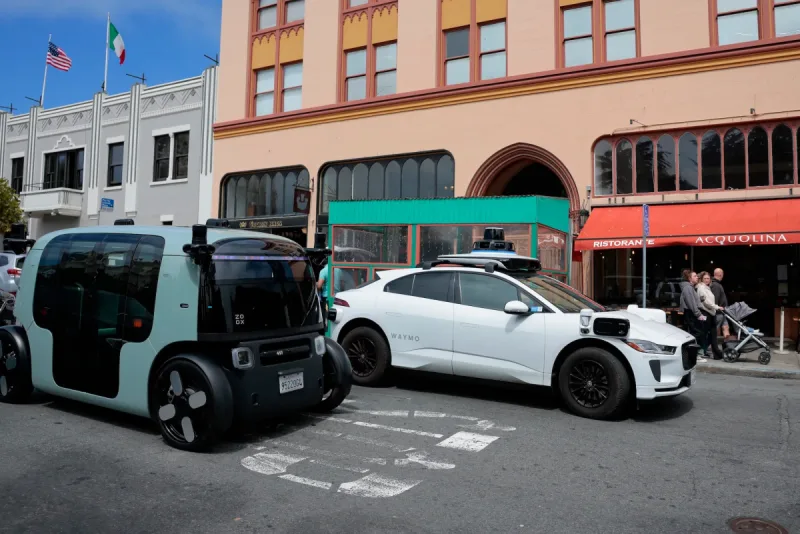
California Tightens Rules on Robotaxis as Incidents Mount
A new state law sets safety standards and accountability measures for autonomous vehicle operators, requiring local support staff and penalties for blocking emergency responders.

Wawa Elevates Long-Tenured Executive to CIO Role
The convenience store chain has named Bill O'Donnell, a 25-year company veteran, as its new chief information technology officer, putting him in charge of tech strategy, cybersecurity and digital operations.

ServiceNow Debuts Flow, a Conversational Service Desk Built for Speed Over Complexity
ServiceNow is rolling out Flow, a natural language service desk tool that automates employee requests through Slack and Microsoft Teams without requiring a full IT service management overhaul.