Eight Linux Project Management Tools Compared: From Free Open-Source to Enterprise Solutions
Linux users have access to a diverse range of project management platforms, each tailored to different team sizes and workflows. This guide examines eight leading options, from Confluence's collaboration strengths to OpenProject's comprehensive feature set.

Top Linux project management software comparison
Project management platforms enable teams to handle task assignments, monitor progress, facilitate collaboration and achieve numerous operational advantages. The Linux ecosystem hosts multiple project management applications suited to various organizational needs. This overview covers eight standout Linux project management tools for 2024, detailing their core capabilities, advantages, limitations and cost structures. Additionally, guidance is provided for selecting the right solution for your specific requirements.
Confluence: Best for collaboration tools
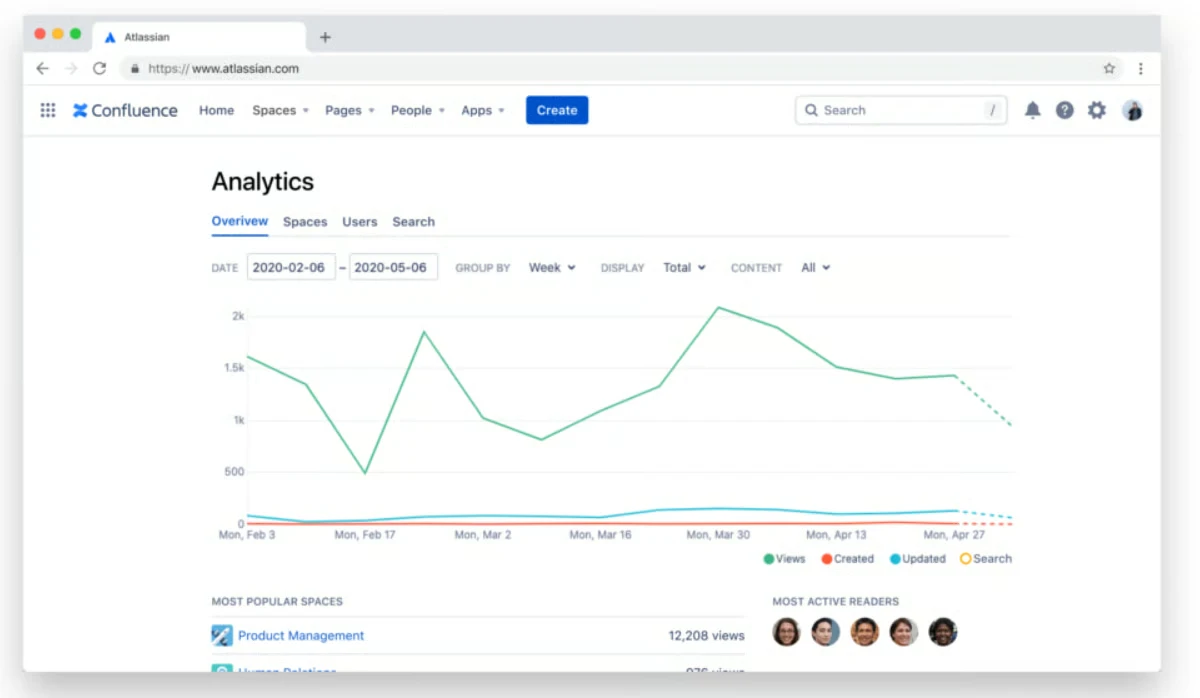
Atlassian developed Confluence, a Linux-compatible project management platform. The company also created Trello, Jira Service Management and Bitbucket. Confluence targets organizations requiring robust team collaboration capabilities and a digital workspace for project oversight. It serves small enterprises seeking an inclusive, collaborative environment.
Pricing
- Free: $0 monthly for up to ten users
- Standard: $6.05 per user monthly or $600 annually for 1–10 users
- Premium: $11.55 per user monthly or $1150 annually for 1–10 users
- Enterprise: Custom pricing available
Higher user counts unlock per-user discounts across paid tiers.
Features
- Extensive template library spanning product management, marketing and other domains to streamline workflows
- Real-time editing, version control, inline comments, alerts, task assignment and additional collaboration capabilities
- External user participation with granular permission controls limiting guest access
Integrations
- Google Drive
- OneDrive
- Slack
- GitHub
- GitLab
- Azure DevOps
- Render Markdown
Pros
- Exceptional collaboration functionality
- Comprehensive template selection
- Strong access controls and permission management
Cons
- Analytics and similar core management features require paid subscriptions
- User interface is intuitive yet presents a modest learning curve
Confluence excels for general project management, document collaboration, basic reporting and compatibility with other Atlassian products including Jira and Trello.
Jira: Best for software development teams
Atlassian's Jira serves as a dedicated project management platform widely adopted by development teams for bug management and task tracking. The tool provides extensive customization capabilities, making it applicable across various industries. It includes native Agile and Scrum functionality.
Pricing
- Free: Accommodates up to 10 users with 2 GB storage
- Standard: $8.15 per user monthly or $850 annually for 1–10 users
- Premium: $16 per user monthly or $1600 annually for 1–10 users
- Enterprise: Annual billing only; designed for teams exceeding 800 users
Features
- Centralized issue management allowing ticket creation, team assignment, deadline setting and progress monitoring
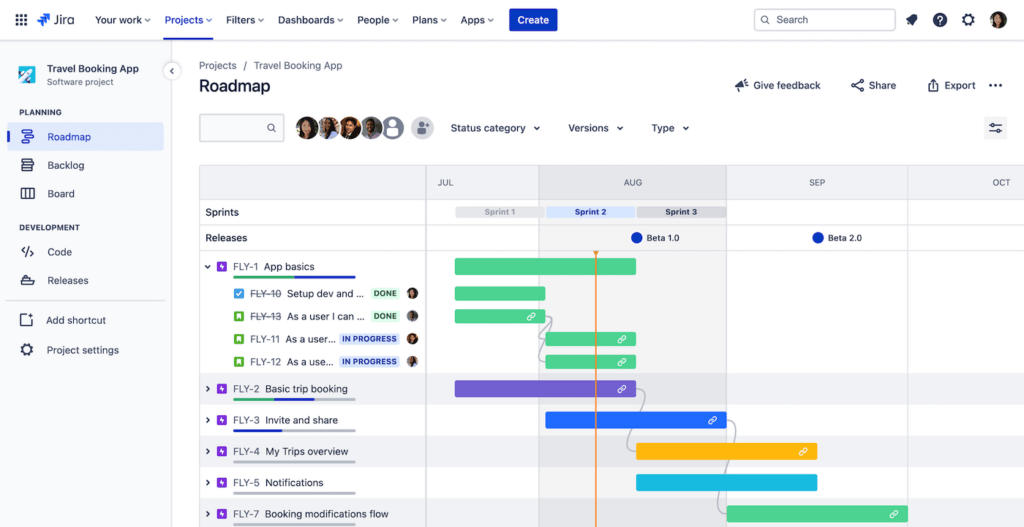
- Roadmap visualization enabling high-level project overviews or detailed exploration
- Kanban and Scrum boards supporting sprint management and progress tracking
Integrations
- Google Drive
- OneDrive
- Slack
- GitHub
- GitLab
- Azure DevOps
- Render Markdown
Pros
- Robust free tier with substantial project management functionality
- Advanced analytics and reporting capabilities
- Enterprise-grade security measures
- Scrum boards for Agile sprint execution
Cons
- Limited external collaboration features
- Steep initial learning curve
Jira performs well for intricate project management scenarios. Automation, reporting, expanded storage in premium plans and AI capabilities help teams manage complex deadlines. Smaller teams benefit from the platform, though costs scale with user count.
Odoo: Best for versatility
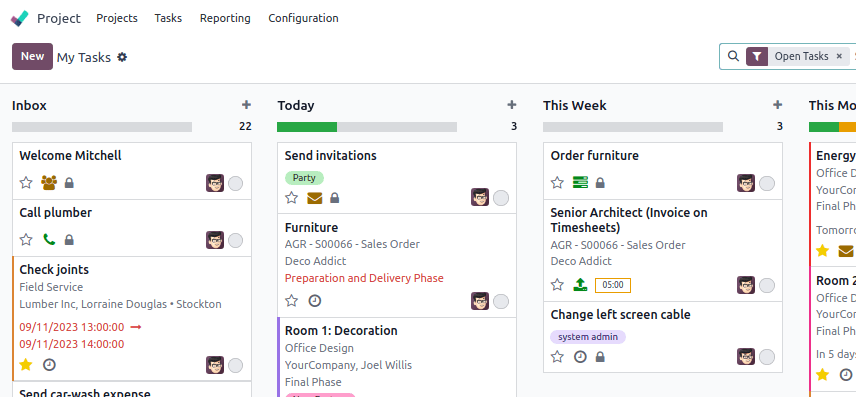
Odoo, previously called OpenERP, comprises a collection of business applications incorporating project management functionality. The platform offers extensive customization and deployment flexibility through cloud hosting or on-premises installation. Users access multiple project visualization modes including Kanban layouts and calendar displays. Time tracking, budget oversight and resource distribution tools are included.
Pricing
- Free: Single application access with unlimited user capacity
- Standard: $24.90 per user monthly (annual billing) or $31.10 per user monthly (monthly billing)
- Custom: $37.40 per user monthly (annual billing) or $46.80 per user monthly (monthly billing)
Features
- Diverse visualization options including Gantt charts for deadline and timeline tracking, plus calendar views highlighting key dates
- Messaging, activity records, custom notifications, email connectivity and live synchronization
- Custom dashboards, financial analysis, task metrics and additional reporting capabilities
Integrations
- Open-source with custom connection creation capability; some pre-built connectors may involve fees
- GitHub
- Zemanta
- BlackBlaze
Pros
- Seamless connectivity with other Odoo modules
- Open-source architecture enabling greater adaptability
- Active community providing technical assistance
Cons
- Absence of official maintenance or update services
- Unsuitable for specialized or sector-specific requirements
Odoo delivers a comprehensive business application ecosystem applicable across multiple industries while maintaining open-source and Linux compatibility. Established teams may find the platform and associated add-ons cost-effective, though pricing and extensions can accumulate.
OnlyOffice: Best for medium and large businesses
OnlyOffice represents an open-source project management platform designed to enhance productivity and foster internal team coordination. A distinctive advantage is its unified application handling documents, presentations and spreadsheets, positioning it as a Microsoft Office alternative. The design mirrors Microsoft applications, featuring a top command bar with accessible functions.
Pricing
OnlyOffice Workspace Enterprise on-premises pricing is structured in 50-user increments:
- Enterprise: $2200 per server supporting 50 users
- Enterprise Plus: $3300 per server supporting 50 users
- Enterprise Premium: $4500 per server supporting 50 users
Features
- Document management enabling editing, storage, organization and sharing with customizable user and group permissions plus simultaneous team editing
- Project visualization through multiple formats including Gantt charts for deadline and priority management
- Slide creation, modification and distribution with customizable tables, charts and data visualization
Integrations
- Open-source with pre-built connectors available
- Jira
- Confluence
- Drupal
- Nextcloud
- Odoo
- Redmine
Pros
- Recognizable interface for Microsoft product users
- Extensive personalization options
- Intuitive design
Cons
- Mobile application lacks comprehensive functionality
- Pricing structure ill-suited for smaller organizations
- Restricted workflow management capabilities
OnlyOffice, another open-source offering, delivers specialized business applications. It excels at organizing project materials, documents and assignments. Teams can share information and maintain visibility over ongoing deadlines through its project visualization features.
Redmine: Best free and open-source solution
Redmine stands as one of the few entirely cost-free project management options for Linux environments. The software arrives without pre-installed backend components, requiring manual setup including database configuration. It targets development teams comfortable with installation and ongoing maintenance. Its adaptability suits diverse applications.
Pricing
Redmine is completely free with no subscription options.
Features
- Plugin marketplace offering tools to extend capabilities; custom plugin development is supported
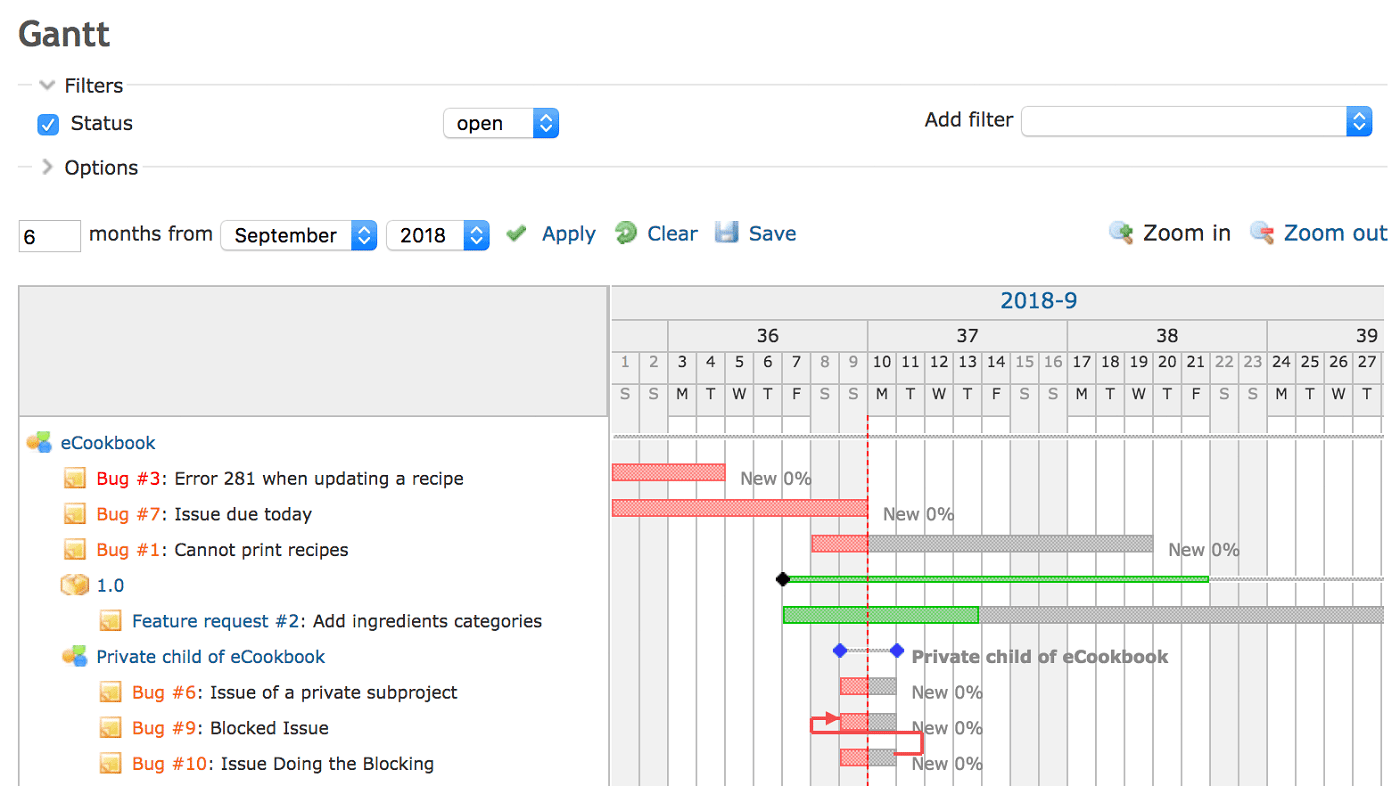
- Gantt chart functionality providing project progress snapshots and task relationship visualization
- Wiki pages, discussion boards and file sharing enabling team alignment and information distribution
Integrations
- Open-source with available third-party integrations
- GitHub
- Drupal
- Honeybadger
- Clockify
Pros
- No licensing costs
- Extensive feature set
- Highly adaptable and configurable
- Robust plugin ecosystem
Cons
- Requires manual installation
- Community-based support only
Redmine combines open-source licensing with zero cost, appealing to Linux enthusiasts. Startups and emerging teams benefit from its affordability, distinguishing it from other Linux-compatible platforms on this list.
Agile CRM: Best for basic project management
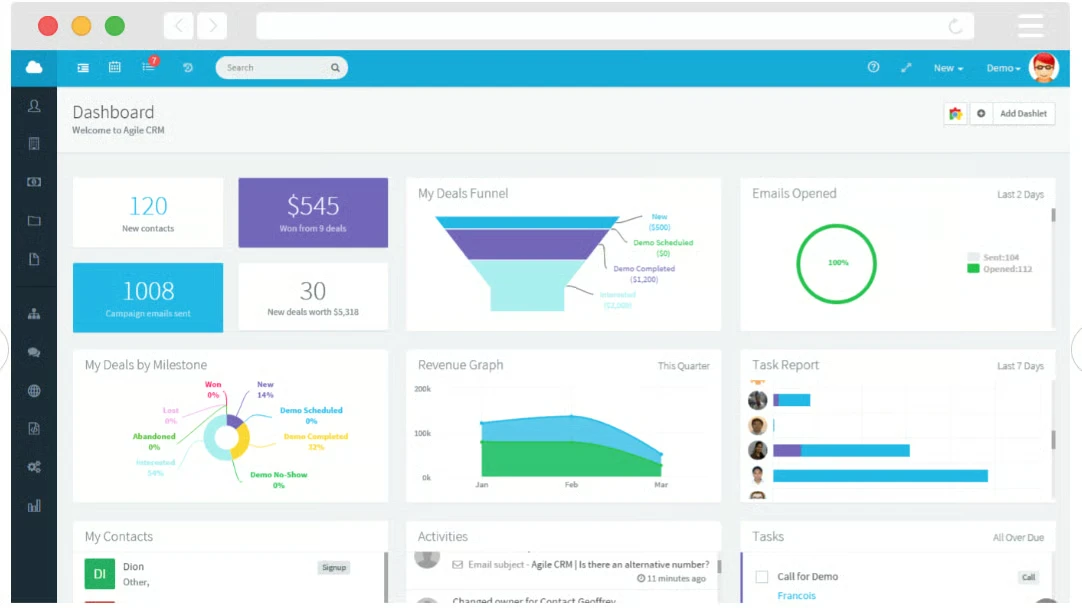
Agile CRM functions primarily as a customer relationship management platform for Linux users, though it incorporates foundational project management capabilities including team coordination and task handling.
Pricing
- Free: Limited to 10 users
- Starter: $8.99 per user monthly with annual commitment
- Regular: $29.99 per user monthly with annual commitment
- Enterprise: $47.99 per user monthly with annual commitment
Features
- Fundamental task management allowing creation, assignment, deadline specification and status monitoring
- Leverage of customer information within project contexts
- Milestone tracking functioning as progress checkpoints, enabling achievement documentation and deadline management
Integrations
- Drupal
- WordPress
- Zapier
- Shopify
Pros
- Strong customer data integration
- Robust automation functionality
- Connectivity with numerous business platforms
Cons
- Limited sophisticated project management tools
- Underdeveloped reporting and analytics
While fundamentally a CRM, Agile CRM enables Linux users to handle workflow processes. Organizations managing forms, communications, documentation and team coordination alongside client relationships may find this solution particularly valuable.
Taiga: Best Agile open-source option
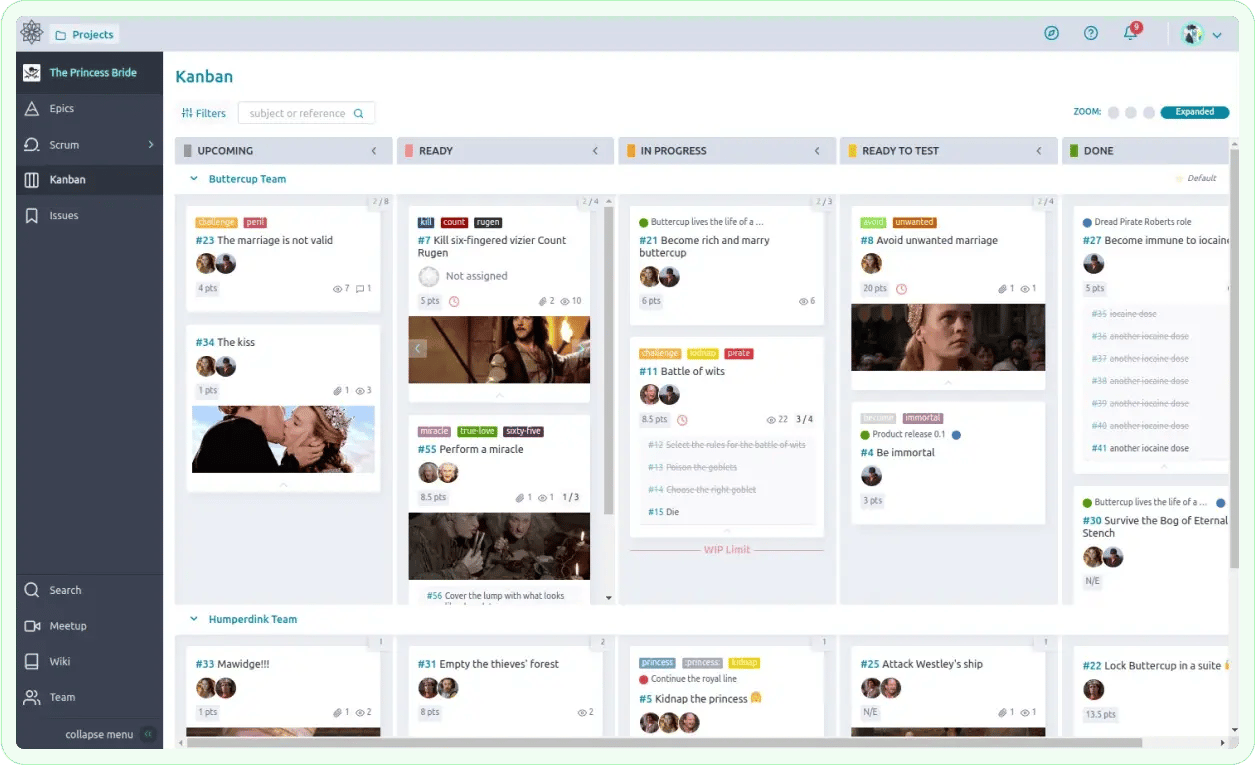
Taiga provides both managed and self-hosted versions of its open-source platform. Teams leverage the application for project workflows and deadline management through Agile sprint cycles. Organizations requiring rapid iterations, backlog oversight and visual representations such as Kanban or Gantt formats will find it well-matched.
Pricing
- Self-managed: Open-source and free
- Automated-hosting: Beginning at $10 monthly, includes security and automatic updates; suited for those with limited Linux expertise
Features
- Kanban and Gantt visualization modes
- Support for 20 languages
- Issue and defect tracking
- Community-driven customization
- Custom tags and field definitions
Integrations
- GitHub
- GitLab
Pros
- Optimized for Agile sprint workflows
- Effective deadline management
- Highly customizable
- Team reporting dashboards and information sharing
Cons
- Feature set less comprehensive than competing platforms
- Modest learning curve with dated interface design
Taiga's self-hosted version offers complete freedom at no cost, designed specifically for Linux users. The community remains engaged, with multiple deployment options available for non-Linux environments.
OpenProject: Best overall
OpenProject constitutes an open-source project management platform emphasizing workflow administration, particularly for shared materials and information. Teams manage deadlines, coordination, expenses and additional operational elements.
Pricing
- Community: Complimentary self-hosted deployment
- Basic: $7.25 per user monthly (annual billing, minimum 5 users) for on-premises and cloud
- Professional: $13.50 per user monthly (annual billing, minimum 25 users) for on-premises and cloud
- Premium: $19.50 per user monthly (annual billing, minimum 100 users) for on-premises and cloud
- Corporate: On-premises deployment for minimum 250 users; custom pricing upon request
Features
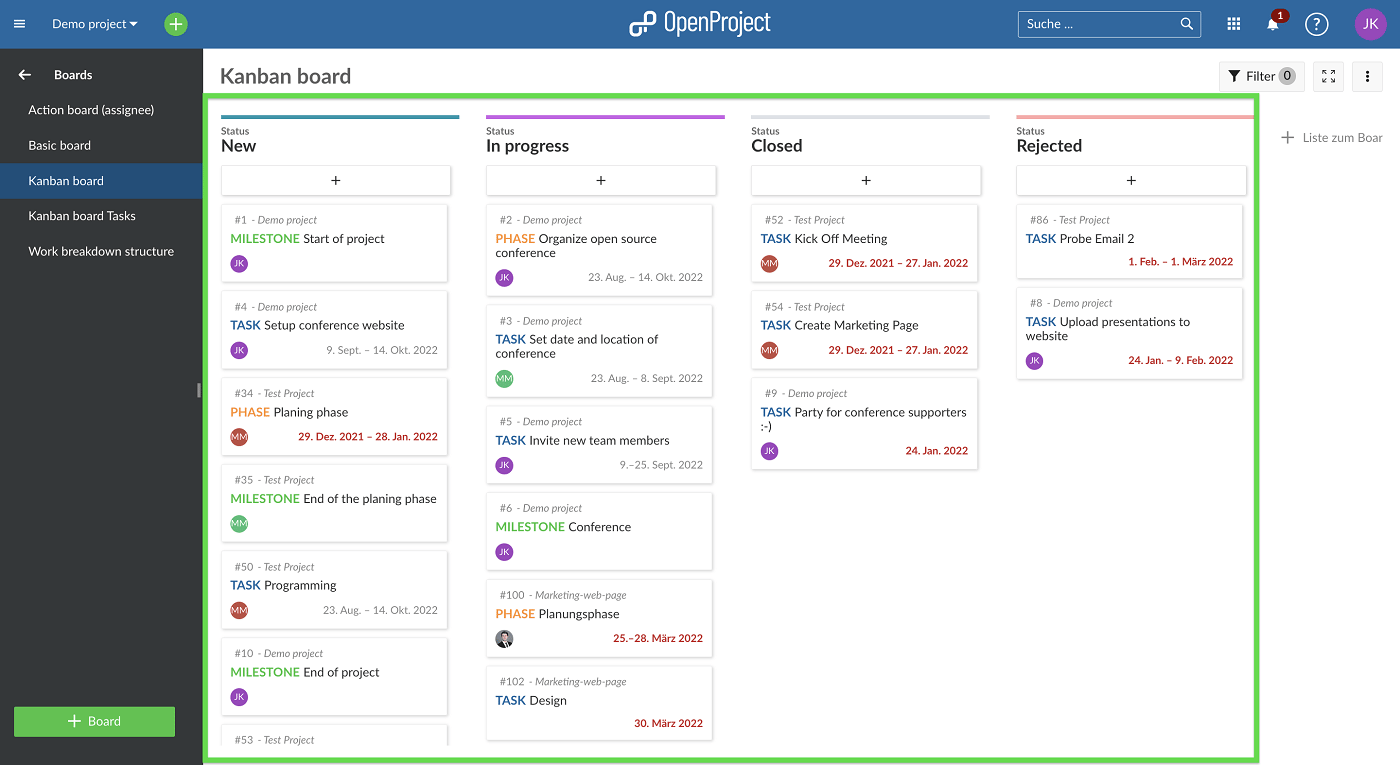
- Gantt, Kanban and timeline visualization formats
- Manual or automated workflow scheduling
- Meeting coordination and documentation
- Time recording and activity logs
- Budget forecasting and expense management
- Defect identification and tracking
Integrations
- GitLab
- Jira
- Microsoft Project
- Toggl
- Slack
- OneDrive
- Nextcloud
- GitHub
Pros
- Transparent feature organization
- Comprehensive documentation resources
- Extensive workflow management capabilities
Cons
- Limited training and troubleshooting support
OpenProject delivers comprehensive project management capabilities, maintains an engaged user base and provides operational flexibility. Linux users managing sophisticated projects and maintaining task oversight will find it a strong choice.
Key features of Linux project management software
Linux-compatible project management tools offer several important capabilities worth evaluating.
Issue tracking
Development teams commonly employ issue tracking for defect identification. The functionality extends to other management contexts, including risk assessment, problem documentation and task prioritization. Managers use these systems to address obstacles promptly and maintain project momentum.
Native time tracking
Time tracking capabilities enable estimation of task duration and recording of actual effort expended. This information supports workload balancing, capacity planning, projection accuracy and financial planning. While most Linux platforms integrate with external time tracking services, built-in functionality delivers superior user experience.
Built-in Gantt charts
Gantt charts, also termed roadmap visualizations, represent a standard project management feature. They display project advancement relative to planned timelines. Users identify task relationships and potential obstacles, enabling proactive intervention to sustain project health.
Resource allocation
Resource distribution tools enable managers and executives to enhance project outcomes through strategic task assignment. Capacity assessment functionality reveals team availability and bandwidth, preventing schedule conflicts and excessive workloads.
Integratable
Linux applications frequently permit custom integration development due to open-source licensing. Even proprietary platforms typically support numerous third-party extensions. Communities surrounding open-source projects regularly develop and maintain integration options.
Methodology
This compilation of leading Linux project management platforms resulted from direct platform evaluation combined with examination of publicly available information including user feedback and ratings. Assessment parameters encompassed software accessibility, strengths and weaknesses, financial models and applicable scenarios.
How do I choose the best Linux project management software?
Selecting appropriate project management software requires deliberate evaluation. Linux users may encounter fewer alternatives compared to Windows or macOS ecosystems. Initially, identify platforms offering Linux compatibility.
Open-source platforms dominate Linux offerings, though proprietary and closed-source solutions exist. Open-source disadvantages include limited official assistance for deployment and administration. Conversely, open-source advantages include greater operational freedom.
Clarify organizational priorities, as each platform presents distinct strengths and limitations. Enterprise organizations may require sophisticated capabilities unavailable in fundamental solutions.
Essential capabilities encompass team communication systems, time documentation, project visualization formats and resource management. Additionally, evaluate platform scalability, financial structure and alignment with existing technology infrastructure.
Read more

California Tightens Rules on Robotaxis as Incidents Mount
A new state law sets safety standards and accountability measures for autonomous vehicle operators, requiring local support staff and penalties for blocking emergency responders.

Wawa Elevates Long-Tenured Executive to CIO Role
The convenience store chain has named Bill O'Donnell, a 25-year company veteran, as its new chief information technology officer, putting him in charge of tech strategy, cybersecurity and digital operations.

ServiceNow Debuts Flow, a Conversational Service Desk Built for Speed Over Complexity
ServiceNow is rolling out Flow, a natural language service desk tool that automates employee requests through Slack and Microsoft Teams without requiring a full IT service management overhaul.