ClickUp vs Notion: Choosing the Right Platform for Your Team's Workflow
ClickUp and Notion both serve project management needs but cater to different organizational priorities. This comparison examines pricing, features, AI capabilities, and usability to help teams select the platform that best fits their workflow.

Two prominent platforms dominate the project management landscape: ClickUp and Notion. While both address core project needs, they emphasize different strengths. The decision between them hinges on whether your organization prioritizes task execution and scheduling or prefers to blend project work with company-wide knowledge management. This analysis evaluates pricing, artificial intelligence, teamwork features, and user experience to clarify where each platform excels.
ClickUp vs Notion: At a glance
ClickUp strengths
- AI time estimates
- AI Sprint updates
- AI workload and capacity queries
- Custom agents
Notion strengths
- Database autofill
- Connected app search
- Calendar scheduling
- Page creation
How this comparison was conducted
This evaluation draws on four years of hands-on testing across nearly 20 project management solutions, supplemented by official documentation and current pricing information. The assessment applies a structured methodology developed through extensive platform reviews.
Six dimensions shaped the evaluation: Pricing (20%) examined free tiers, starter packages, feature inclusions, and add-on expenses. General features (25%) assessed task handling, project visualization, team coordination, and process automation. Advanced capabilities (20%) included dependency management, scheduling tools, resource allocation, portfolio analysis, time logging, and AI functions focused on project support. Ease of use (10%) reviewed interface navigation, initial configuration, and user feedback from G2 and Capterra. Support (10%) covered assistance channels, documentation quality, community resources, and security measures. Expert judgment (15%) synthesized platform value, functionality depth, third-party assessments, and documentation quality.
Pricing comparison
ClickUp delivers stronger pricing economics as organizations scale. The $7-per-user Unlimited tier undercuts Notion Plus at $10 monthly per member by 30%, while ClickUp Business at $12 costs 40% less than Notion Business at $20. This advantage widens proportionally as paid user counts increase.
AI functionality pricing diverges significantly. Notion bundles core AI features into its $20 Business plan, consolidating project software and AI under a single per-user fee. ClickUp layers AI costs separately atop monthly subscriptions, potentially offsetting its initial pricing advantage depending on which AI tier organizations select.
Project and task management
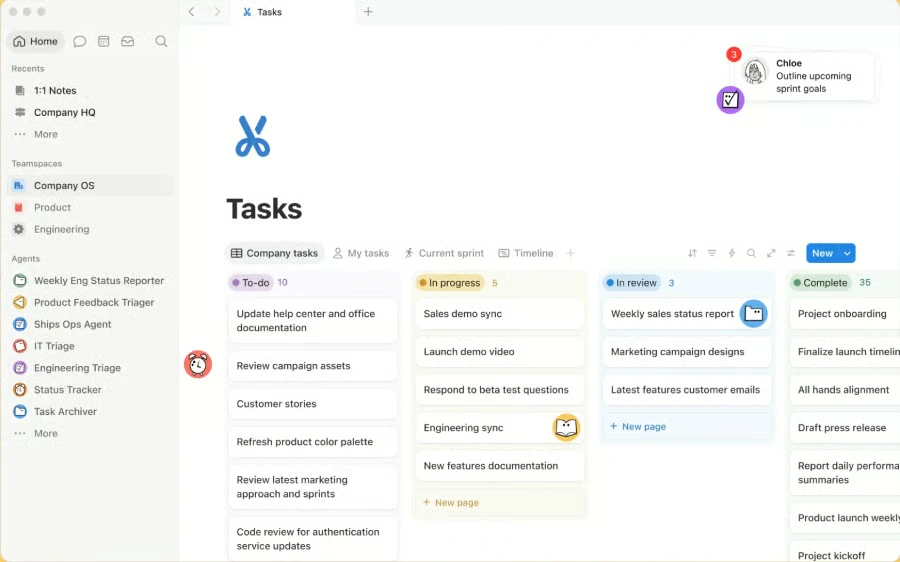
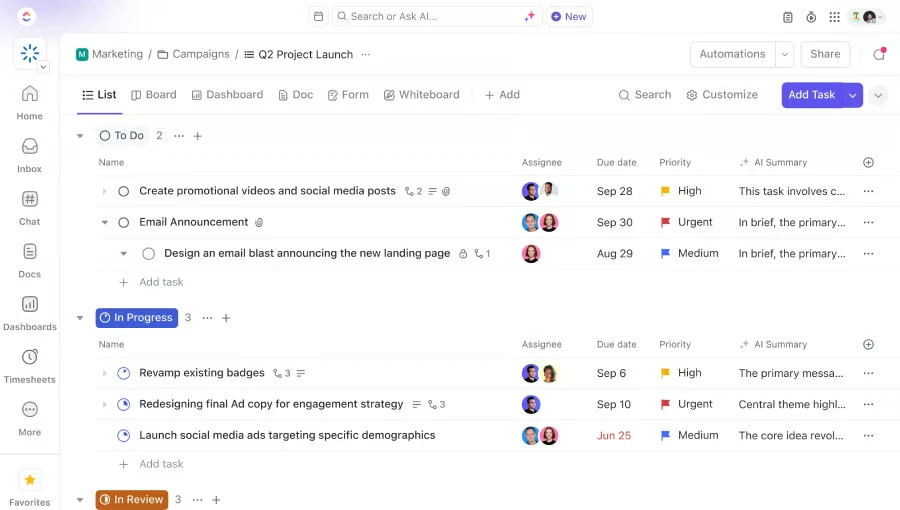
ClickUp delivers superior control for complex initiatives spanning multiple task tiers, interconnected timelines, or resource conflicts. Notion handles fundamental task operations but relies on database design that demands greater customization and offers restricted scheduling flexibility for intricate project structures.
Notion excels when projects demand extensive supporting materials. Database entries function simultaneously as actionable tasks and editable pages, enabling teams to maintain supplementary resources alongside task details. While ClickUp connects tasks to documentation, Notion's approach provides greater flexibility for managing intricate projects.
Both platforms support tasks, subtasks, nested subtasks, and custom task types.
Documentation and knowledge management
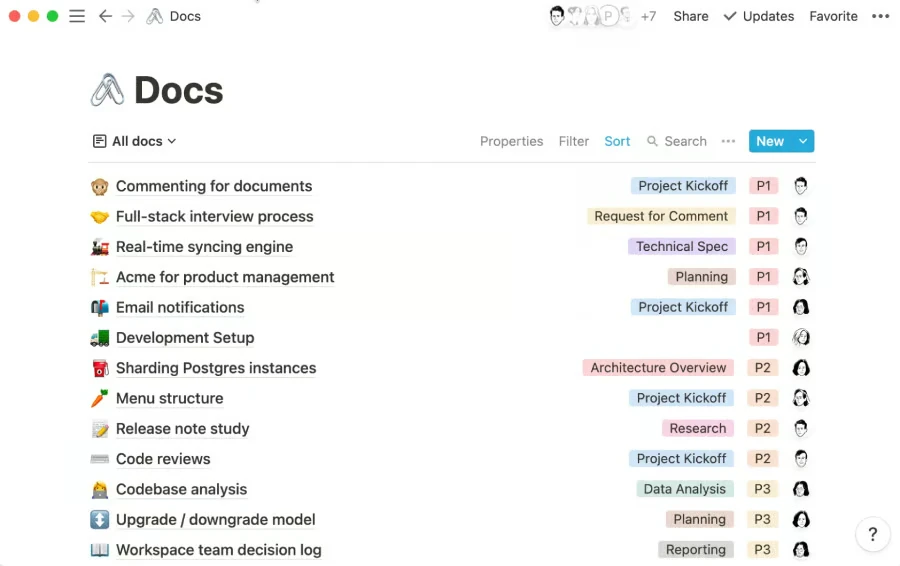
Notion distinguishes itself in knowledge management by merging databases and documentation within unified workspaces. Teams can structure wikis hierarchically, designate page owners, and establish content review schedules. This architecture supports maintenance of operational procedures, technical specifications, and institutional reference materials as knowledge repositories mature.
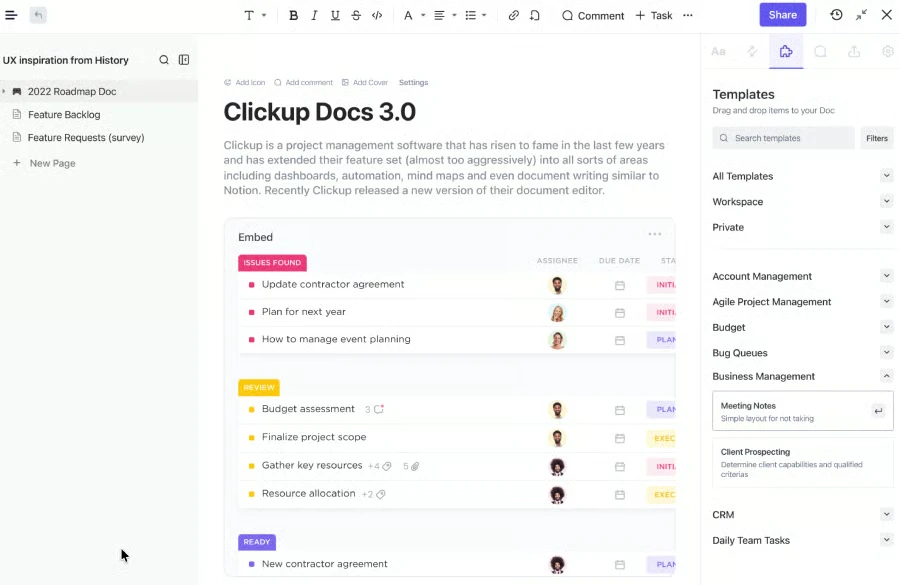
ClickUp similarly provides hierarchical documentation, wiki functionality, revision tracking, and granular access controls through Docs Hub, which centralizes workspace materials. Integration with project tools enables task creation from document content and linking between Docs and related assignments. Notion, however, offers richer knowledge management through page verification and ownership designation, plus database connections that relate documentation across initiatives.
AI and workflow automation
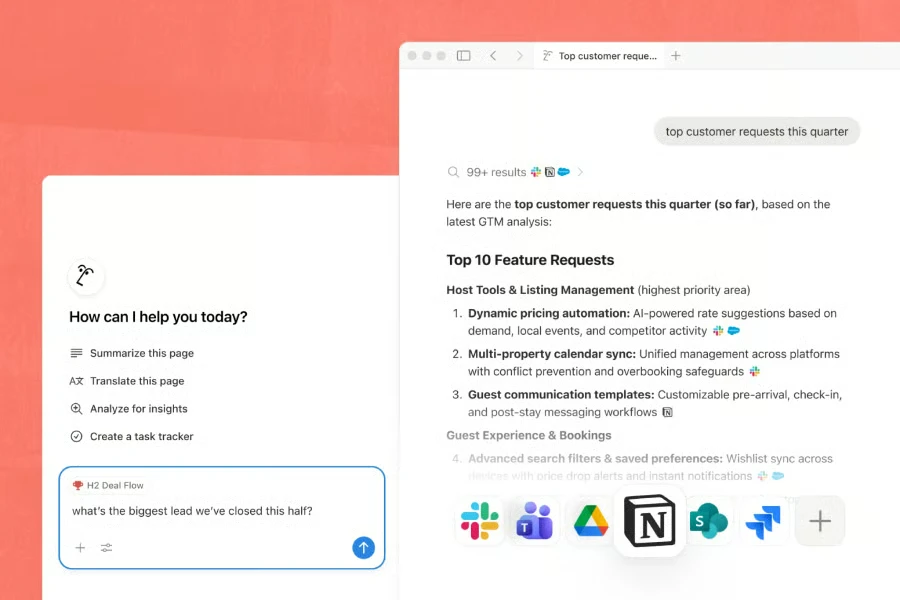
Notion leads in enterprise-scale AI search, permitting staff to query project information while controlling which sources inform responses. Enterprise Search spans the Notion environment and external integrations including Slack, Microsoft Teams, Google Drive, Jira, GitHub, SharePoint, and OneDrive. Users can restrict searches by application, page, teamspace, or individual. Since AI responses include source citations, employees can reference original materials for verification or deeper investigation.
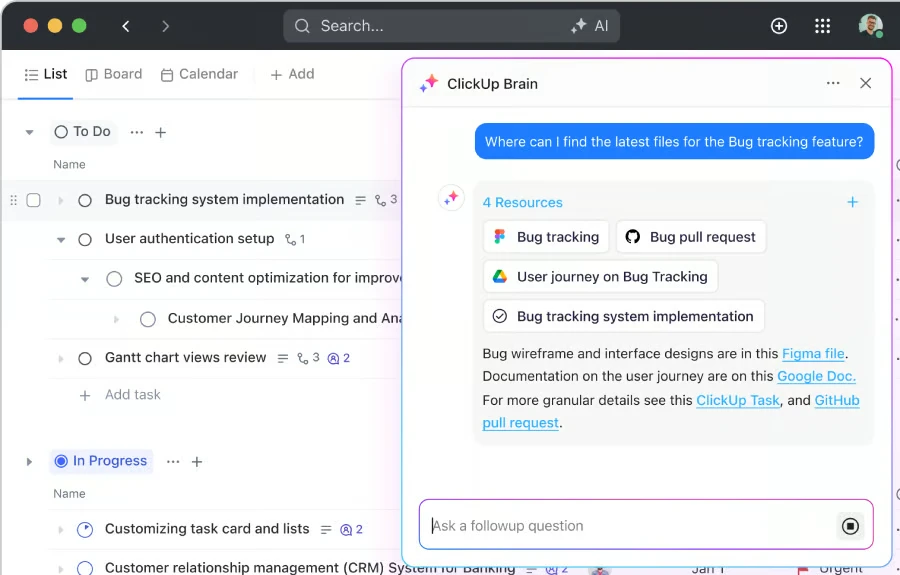
ClickUp Connected Search addresses comparable business applications but ties search more directly to project execution. Its Brain feature can generate tasks or documentation from search results, while Super Agents reference connected sources when executing assigned responsibilities.
Notion proves more suitable for organization-wide knowledge discovery because it offers expanded options for refining search scope and tracing AI-generated answer origins.
Collaboration and communication
ClickUp prevails in collaboration and communication by enabling conversations to drive project actions without switching applications. ClickUp Chat provides channels, one-on-one messaging, threaded discussions, and posts, with capability to anchor conversations to tasks or documentation and spawn tasks from messages.
Notion emphasizes collaboration through shared materials. Team members can co-edit pages, leave targeted or page-level remarks, use @mentions, and track updates via Inbox—an effective approach when dialogue centers on written content, task databases, or organizational information. ClickUp accommodates broader communication requirements within project environments, particularly when translating discussions into actionable items or meeting outcomes.
Ease of use and administration
Notion presents a gentler learning curve because its structure revolves around sidebar navigation, pages, and databases, minimizing project-specific terminology new users must absorb before becoming productive.
Teamspaces organize materials by department or function, while public and private designations clarify access permissions from the sidebar. Administrators benefit from reduced initial configuration demands, though database structure and page hierarchy still require governance as the platform expands.
ClickUp demands more upfront configuration because operations span a layered structure: Workspaces, Spaces, Folders, Subfolders, Lists, and individual tasks. Administrators must determine hierarchy levels for views, statuses, custom fields, and access rules, as settings differ across tiers. This grants organizations granular control over departmental and project-type setups but introduces complexity in sustaining workspace organization.
Alternatives worth considering
Beyond ClickUp and Notion, platforms like monday.com, Wrike, and Smartsheet address specialized requirements. These merit evaluation when automation sophistication, team capacity planning, or spreadsheet-native project controls take precedence.
- monday.com: Select this for customizable workflows requiring less initial configuration than ClickUp and more embedded automation than Notion.
- Wrike: Prioritize this when team capacity planning matters, given its dedicated resource management and availability tracking.
- Smartsheet: Choose this for teams preferring spreadsheet-style project planning but requiring scheduling, reporting, and portfolio functions in one system.
Which platform should you choose?
ClickUp emerges as the superior overall option for project management, delivering native capabilities for scheduling, resource management, time tracking, and workflow automation. Notion becomes the preferred choice when documentation and organizational knowledge form project foundations, particularly for enterprises seeking AI search spanning their workspace and external business systems.
Choose ClickUp if
Your initiatives involve task dependencies or elaborate task structures, and you require built-in workload management, time logging, or portfolio capabilities. It also suits teams leveraging AI and automation to enhance project execution.
Choose Notion if
Documentation anchors your projects or organizational data lives across multiple platforms. Its database framework grants teams flexibility in structuring project information and institutional knowledge.
Consider using both if
Some organizations deploy ClickUp for project execution while maintaining Notion as their institutional knowledge repository. This dual approach functions when each platform has distinct responsibilities, though overlapping task management, documentation, enterprise search, and AI subscriptions risk inflating expenses and creating information redundancy.
Frequently asked questions
Is ClickUp better than Notion for project management?
ClickUp excels for project management when you need task dependencies, Gantt timelines, workload visualization, integrated time tracking, or portfolio management. Notion suits teams managing projects alongside documentation and database-structured knowledge.
Is Notion easier to use than ClickUp?
Notion typically offers a more straightforward interface organized around pages, databases, and teamspaces. ClickUp requires greater initial setup, as teams may configure Spaces, Lists, views, statuses, Custom Fields, and permissions before standardizing workflows.
Which is cheaper, ClickUp or Notion?
ClickUp pricing undercuts Notion. ClickUp Unlimited begins at $7 monthly per user with annual commitment, compared to Notion Plus at $10 monthly per member. The gap expands at the Business tier.
Read more

California Tightens Rules on Robotaxis as Incidents Mount
A new state law sets safety standards and accountability measures for autonomous vehicle operators, requiring local support staff and penalties for blocking emergency responders.

Wawa Elevates Long-Tenured Executive to CIO Role
The convenience store chain has named Bill O'Donnell, a 25-year company veteran, as its new chief information technology officer, putting him in charge of tech strategy, cybersecurity and digital operations.

ServiceNow Debuts Flow, a Conversational Service Desk Built for Speed Over Complexity
ServiceNow is rolling out Flow, a natural language service desk tool that automates employee requests through Slack and Microsoft Teams without requiring a full IT service management overhaul.