Microsoft Reimagines Copilot as Autonomous Work Engine at Ignite 2026
Microsoft is transforming Copilot from an AI assistant into an autonomous foundation for enterprise work, introducing WorkIQ as a centralized reasoning layer and new interfaces designed to eliminate the constant switching between productivity tools.
Enterprise workers lose significant time each day toggling between email clients, spreadsheets, chat applications, calendar systems and other business software to complete routine tasks. Microsoft Corp. believes it has found a solution by repositioning Copilot—currently a generative AI assistant—into a fully autonomous engine that underpins all workplace operations. The company unveiled this vision at Microsoft Ignite 2026 in San Francisco, rolling out a comprehensive set of new tools and capabilities aimed at establishing Copilot as the central operating system for modern business.
Chief Marketing Officer Jared Spataro articulated Microsoft's strategy in a company blog post, highlighting WorkIQ as the technological foundation enabling this transformation. Spataro noted that organizational data environments are inherently chaotic. Microsoft 365 currently holds approximately 19.5 exabytes of customer business information, with billions of additional files, documents, emails and messages entering the system daily. Simply granting an autonomous AI agent access to this volume of data proves insufficient. WorkIQ functions as the unified reasoning engine for all Copilot agents, managing data retrieval, interpreting user intent, prioritizing relevant information for assigned tasks and filtering out irrelevant content.
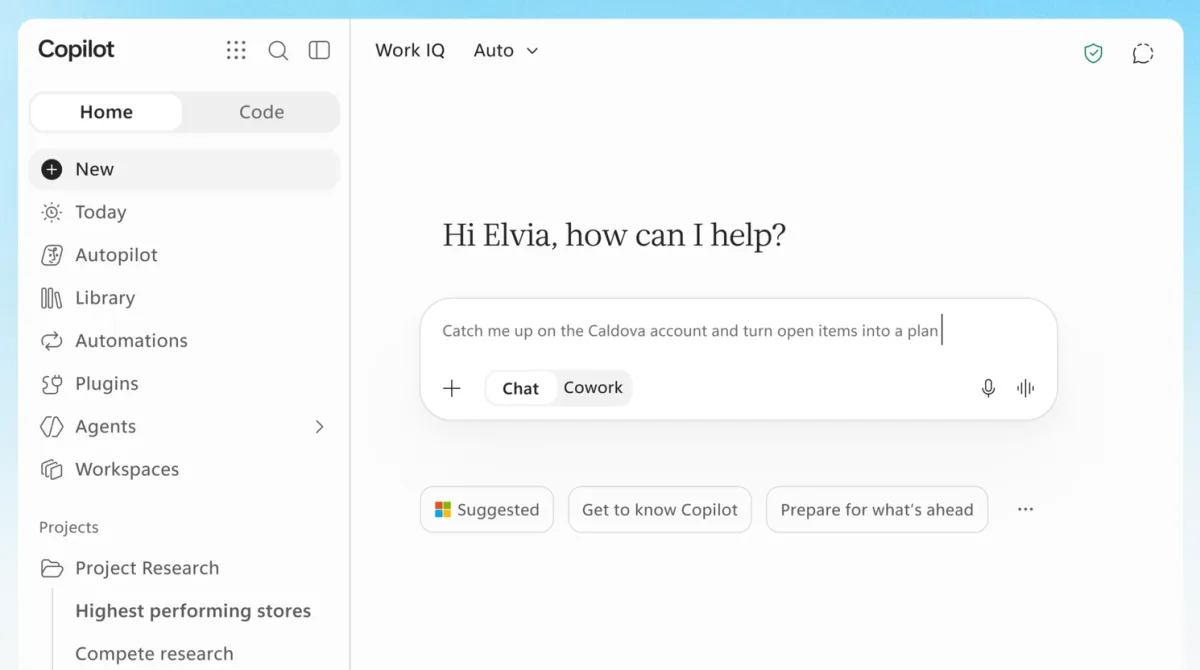
Operating behind the scenes, WorkIQ powers a redesigned user experience called Home, which serves as Copilot's new interface. This environment combines traditional conversational chat with Cowork, a portal enabling workers to delegate tasks to AI agents. According to Spataro, Home acts as an anchor point where employees begin their day and resume previous work sessions.
Within Home sits Auto, an intelligent composition tool that analyzes user requests and directs them to the most appropriate AI model for execution. Auto typically serves as the entry point for new tasks. Spataro explained the mechanism: "Tell Copilot what you want to accomplish and it intelligently routes the work to the right models and effort for the task. For more complex work, Auto may recommend moving from Chat to Cowork. If you agree, Copilot transfers the tasks seamlessly, helping to deliver the outcome with the right level of investment."
Home also includes a component called Today, currently in private preview, functioning as a proactive command center. This feature scans a worker's email, calendar and Teams conversations to surface daily priorities. Importantly, Today not only identifies pending work but also assists in completing it—drafting email responses, suggesting calendar modifications and organizing messages for review—preventing users from feeling overwhelmed.
How Copilot Gets Work Done
Copilot's capacity to execute work has expanded through tighter integration with Microsoft's Office applications. Spataro indicated that the company is embedding the complete Office feature set directly within Copilot. This enables seamless transitions from initial sketches on a notepad or digital whiteboard to fully formatted Word documents or Excel spreadsheets. These files remain within Copilot's environment, where the AI gains co-authoring capabilities alongside human team members. Since Office functionality is now native to Copilot, all documents and files benefit from Microsoft 365's security and compliance frameworks, Spataro noted.
Human-AI collaboration receives additional support through Copilot Workspaces, a shared canvas accessible to both humans and agents. Within this space, an agent might complete a document section and alert a human reviewer. The human can then leave feedback for other agents to incorporate.
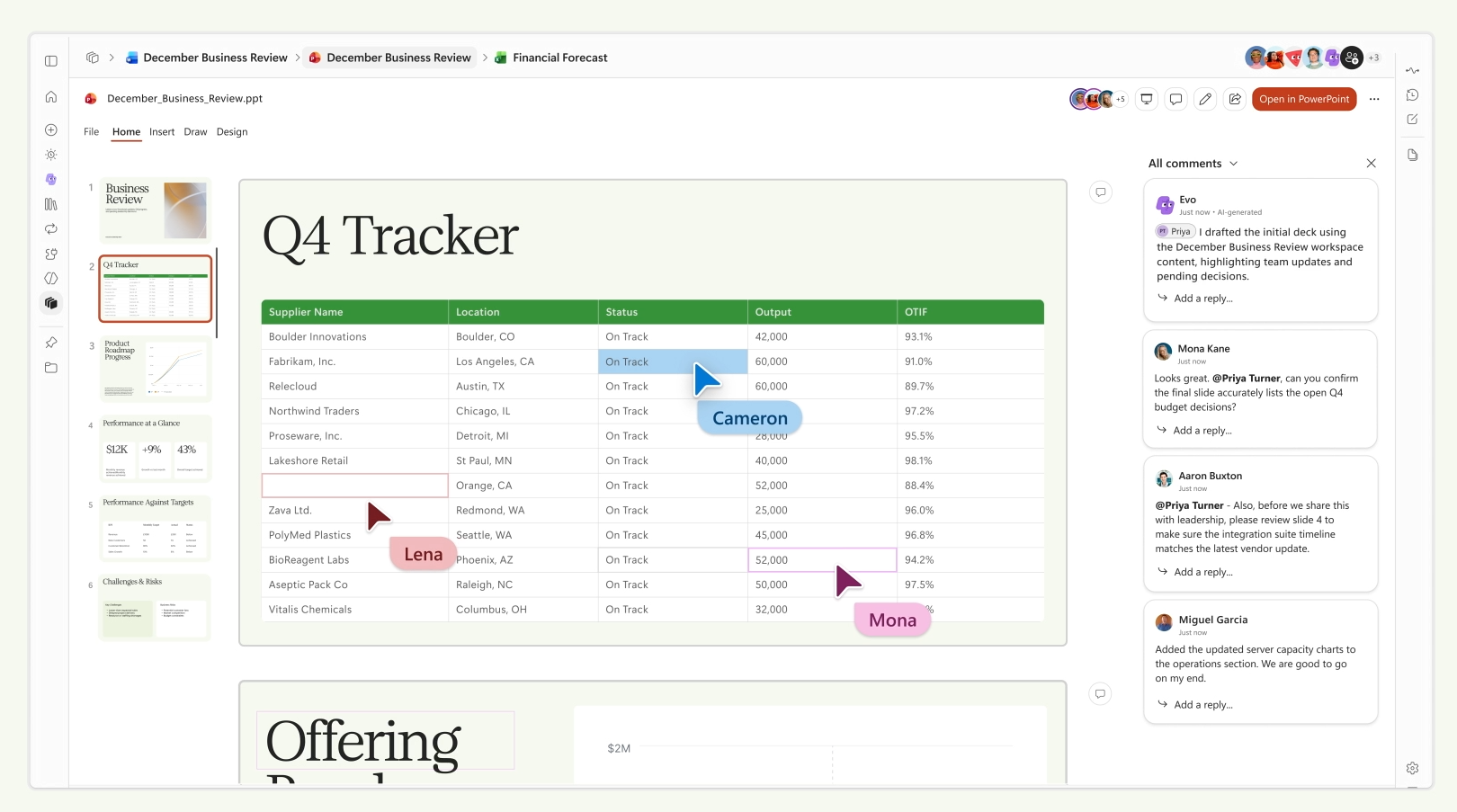
A new capability called Autopilot significantly expands Copilot's autonomous capabilities. Currently available to participants in Microsoft's Frontier early-access program, Autopilot functions as a fully autonomous, continuously active AI agent equipped with its own Microsoft Entra identity, persistent memory and access to productivity tools. Unlike conventional AI agents that await user commands, Autopilot remains perpetually active, monitoring Teams channels and email inboxes for updates. It can execute recurring workflows and oversee complete project sequences—such as multi-stage vendor evaluations—entirely without human intervention, according to Spataro.
Despite its power, Autopilot includes protective mechanisms. IT departments retain complete authority over its access permissions and can immediately revoke its capabilities if issues arise. Spataro explained: "Its sign-ins and actions are logged under its own name, so security teams have a clear audit trail. Powered by WorkIQ, it understands how your organization works within existing permissions. You decide what work Autopilot takes on and it will always check with you before key actions."
More Apps, More Data
Software development remains a central focus, and Microsoft is now enabling non-technical knowledge workers to create applications that accelerate their own work. Copilot Code, launching within weeks, permits users to build interactive dashboards, persistent desktop widgets and lightweight business applications using straightforward natural language instructions. All Copilot-generated applications run within Copilot Managed Runtime, a new secure infrastructure that IT teams can oversee to verify they pose no organizational risk.
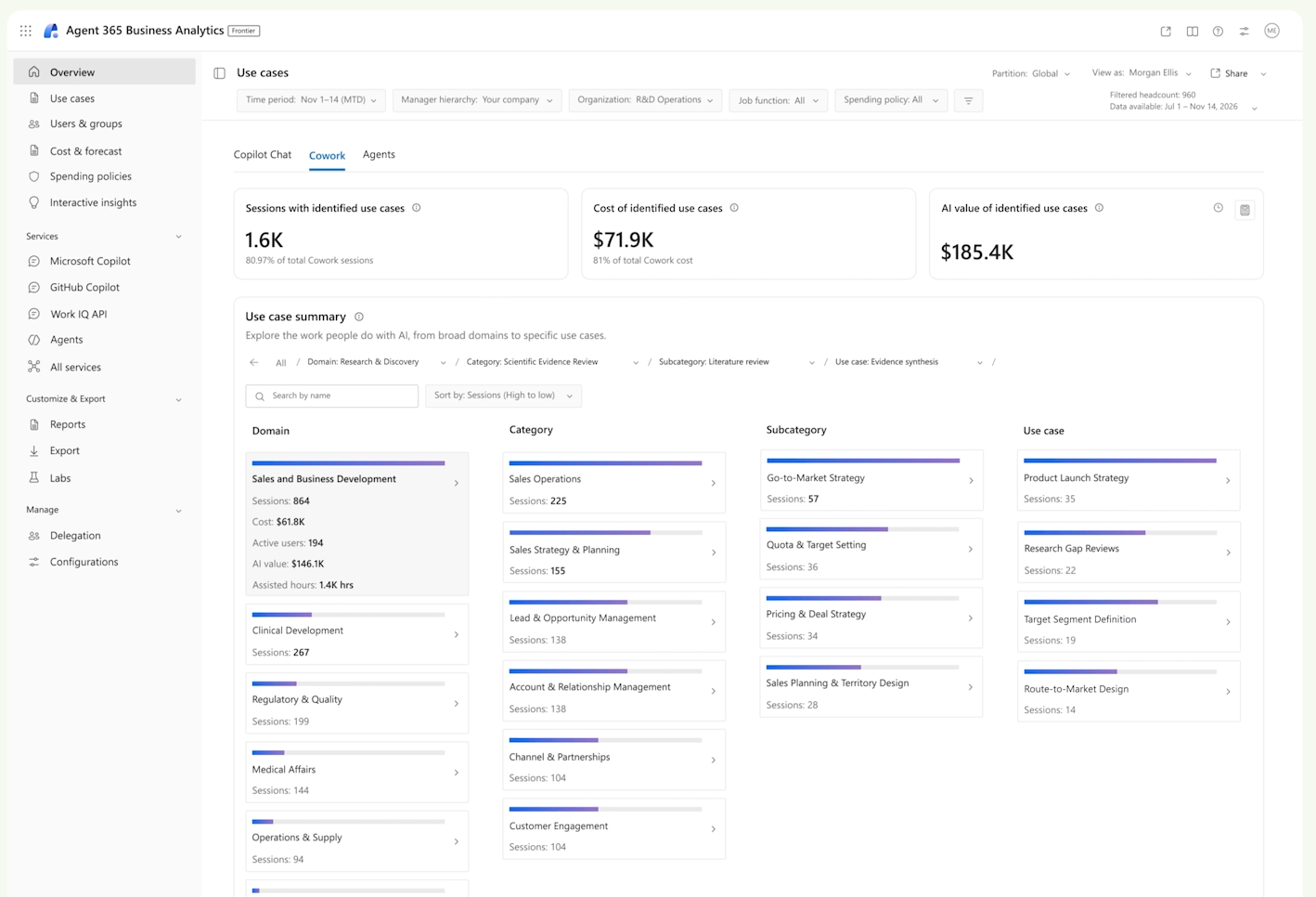
To help organizations confirm their AI agents deliver both security and measurable returns, Microsoft has enhanced the Agent 365 platform with improved controls and transparency regarding AI expenditures. The updated Agent 365 includes a Business Analytics feature applying FinOps principles to AI budgeting. Rather than merely tracking token usage like competing platforms, it measures each agent's return on investment by analyzing completed work and time invested. This approach provides organizations with clearer insight into their AI investment benefits, Spataro stated.
Significant developments are also occurring in business data connectivity. Microsoft is ensuring that Dynamics 365, its integrated customer relationship management and enterprise resource planning solution, operates as part of a broader ecosystem. With Dynamics 365 in Copilot, AI agents gain access to more than 100 prebuilt skills enabling them to execute tasks spanning sales, service and finance operations.
Recognizing that many customers prefer alternative CRM platforms over Dynamics 365, Microsoft announced a major partnership with Salesforce Inc. that grants Copilot extensive access to Salesforce's infrastructure. The resulting product, called Copilotforce, leverages bidirectional Zero Copy integrations connecting Microsoft Fabric with Salesforce Data 360. Copilotforce delivers trusted Salesforce context directly into Copilot alongside productivity and collaboration applications including Teams and Office. The platform includes 38 prebuilt skills supporting Copilot's automation of sales processes, including customer data retrieval, meeting follow-up generation and CRM record updates based on completed activities.
The breadth of these announcements underscores a fundamental shift: AI agents are expanding their operational scope and taking on substantially more sophisticated enterprise responsibilities.
Read more

Anthropic Researcher Claims Claude Proved the Riemann Hypothesis
Levent Alpöge, a researcher at Anthropic, announced he used Claude to prove one of mathematics' most significant unsolved problems, though the company has not officially confirmed the breakthrough.

Beyond Token Prices: Why Enterprise AI Cost Accounting Demands a Deeper Look
Companies pursuing multi-model AI strategies are discovering that token pricing alone masks the true cost of AI deployment. New data shows task efficiency and user consumption patterns drive the real bill.

Anthropic's IPO Surge Masks Broader AI Market Jitters as OpenAI Waits in the Wings
Anthropic's initial public offering delivered a solid 17% first-day gain, but the move may have signaled caution rather than momentum across the AI sector, with broader market concerns weighing on technology stocks.